
@axonpack/expo-devtools
Overview
Browser-style devtools that live inside your React Native or Expo app.
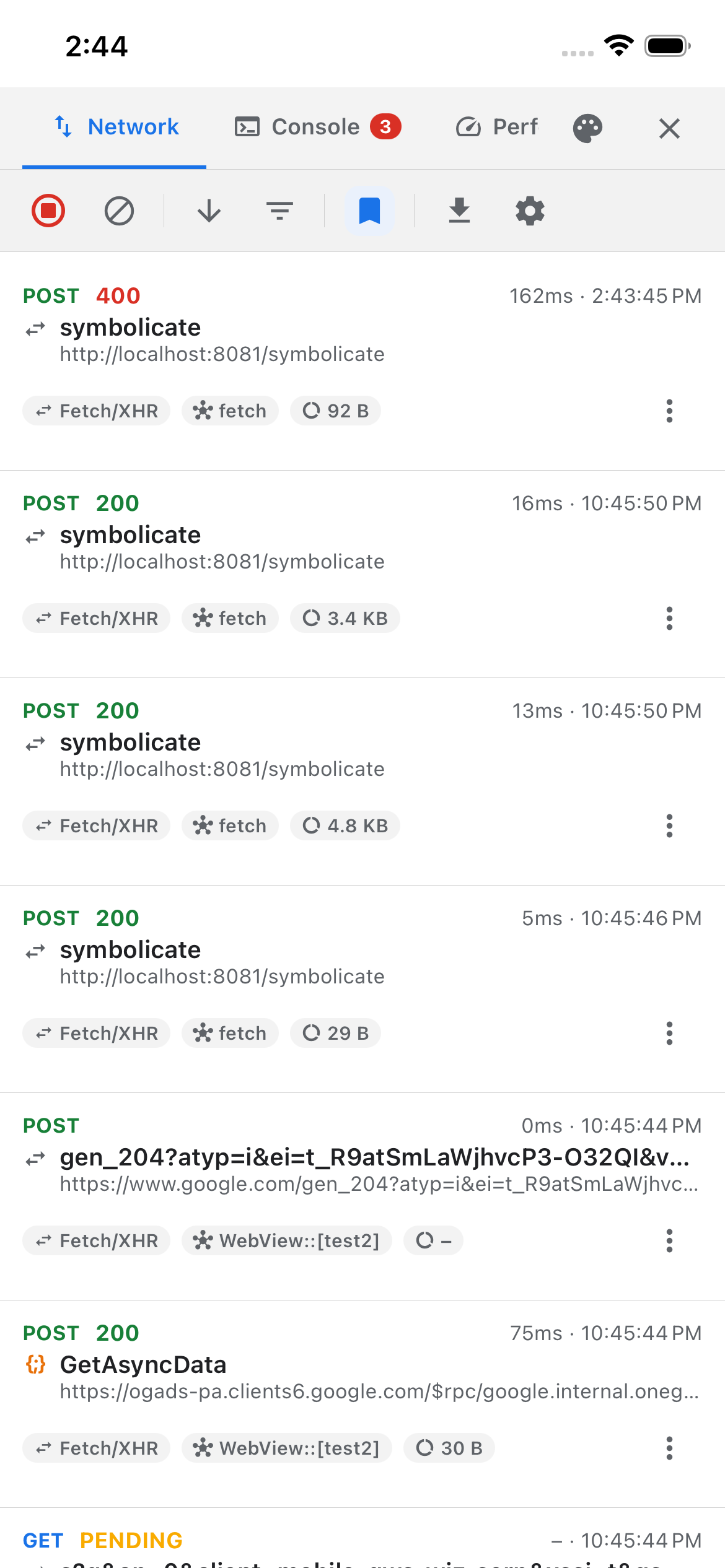
Tap a floating button and get six tabs on the device itself. No desktop debugger, no cable, and nothing captured until you switch it on.
npx expo install @axonpack/expo-devtools react-native-safe-area-context react-native-webview expo-clipboard| Tab | What it gives you |
|---|---|
| Network | Every request, searchable, resendable, with connection throttling |
| Console | Every log, plus a > prompt that answers |
| Performance | Frame rate, memory, startup, and the moments the app froze |
| Storage | Every key you have saved — search it, edit it, import and export it |
| Crashes | JS errors, unhandled rejections, render errors and native exceptions, as readable reports |
| Debug | Tools that block or crash a thread on purpose |
Two more guides cover things that are not tabs: themes, and capturing inside an in-app browser.
What makes it different
- One native module, on purpose. It does the two things JavaScript cannot: block the main thread, and report the real process start time. Everything else is JS, so the package works in Expo Go with only a handful of readings dark.
- It depends on no storage library. The Storage tab reads the stores you register, which is why adding this package cannot drag AsyncStorage or MMKV into your app.
init()is the only gate. Ship the code freely: until you call it, nothing is patched, observed or recorded, and the overlay draws nothing.- It states its limits. Every guide here ends with what the tab cannot measure and why, rather than showing a number it had to invent.
Where to go next
Installation
One install command and two peer dependencies.
Compatibility
The versions this is built against, and what it pins you to.
Quick start
Create the client, mount the overlay, done.
Reference
Every control and every option, field by field.
Leaving it in production
What ships, and what stays dark.
Example app
A runnable app that exercises every tab.